
Listing Pulse
When the owner asks how the listing is doing, answer with numbers.
Listing Pulse shows who looks at a yacht, where they came from and what they did next. Enquiries reach the right broker with that context. Owners get a report on their own yacht.
Request a free listing review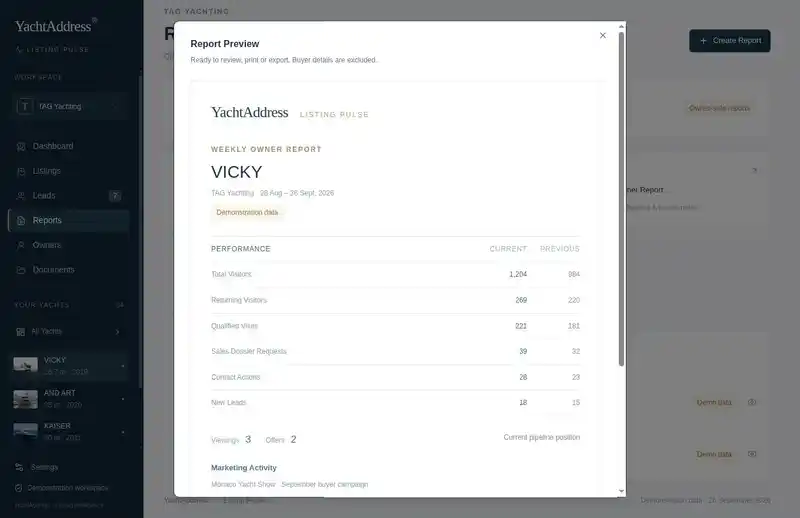
One yacht. One boat show. Three weeks.
A broker hands out cards with a QR code at the Cannes Yachting Festival. This is what Listing Pulse records afterwards.
- Day 1
A visitor scans the code and opens the VICKY listing. Source: Cannes, printed card.
- Day 4
The same visitor returns through a LinkedIn post and spends eleven minutes on the specification.
- Day 9
They request the sales dossier.
- Day 10
An enquiry arrives. The responsible broker receives it with the yacht, the source and the visit history.
- Friday
The owner report shows what the boat show produced: visits, dossier requests, one enquiry.
Illustrative scenario, not customer data.
01 / Measure
Interest per yacht, not per website
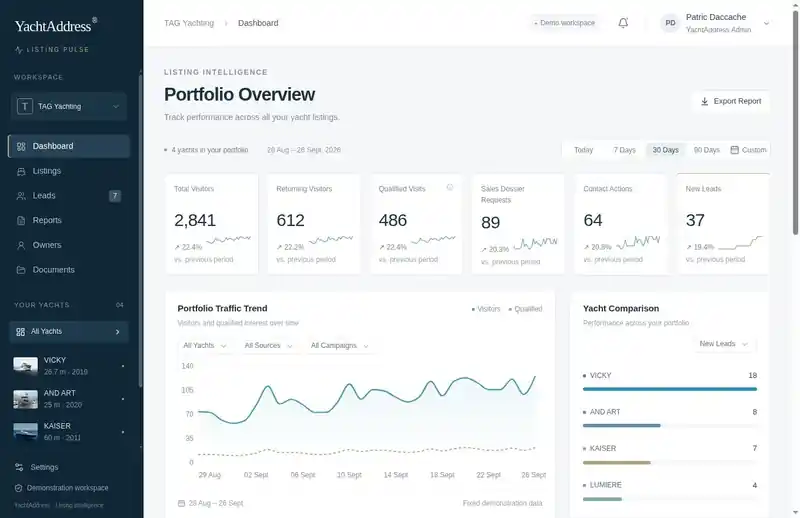
Website analytics tell you how the site performs. Listing Pulse tells you how each yacht performs.
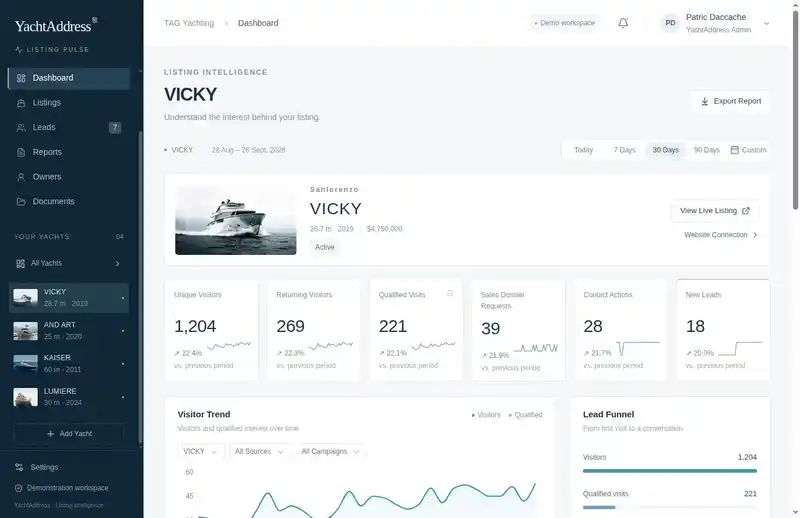
What the team sees
- Visitors
- Returning visitors
- Qualified visits
- Dossier requests
- Contact actions
- Enquiries
- Traffic sources
- Campaign performance
What a qualified visit means
The brokerage defines it. Time on the listing, a repeat visit, a dossier open or a contact action can count. It is a signal about the listing, not a verdict on the buyer. That judgement stays with the broker.
02 / Attribute
Know which effort brought the visit
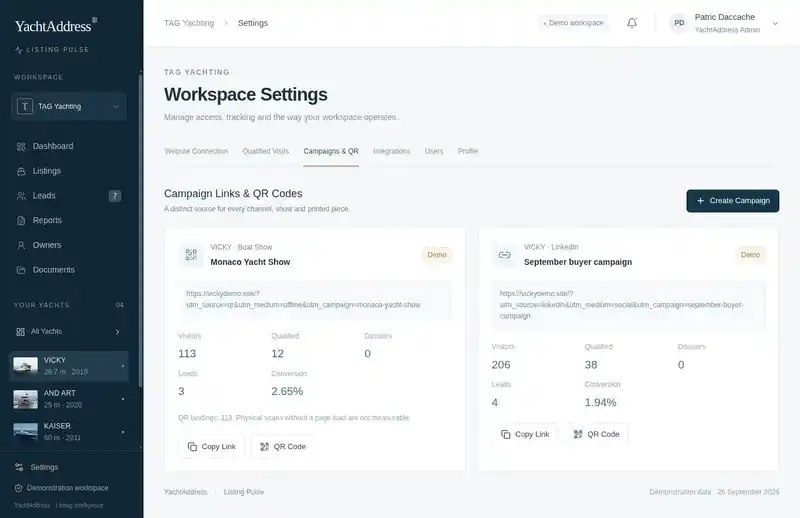
Every campaign, broker email and printed brochure can carry its own link or QR code. The team sees which activity produced traffic and which produced enquiries.
- Newsletters
- Broker emails
- YachtWorld
- Owner campaigns
- Boat shows
- Brochures
- Business cards
03 / Route
The broker gets the enquiry with its context
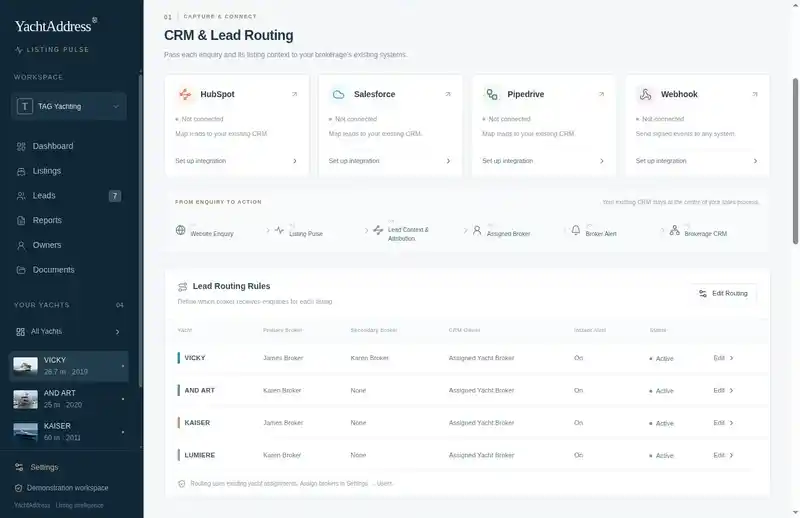
An enquiry arrives with the yacht, the source, the campaign and the visit history. Budget and timeframe come along when the visitor provides them. The broker starts the conversation knowing what the buyer has already looked at.
Works with your CRM
Enquiries can flow into HubSpot, Salesforce, Pipedrive, Zoho or your existing workflow. Customer data stays in your infrastructure.
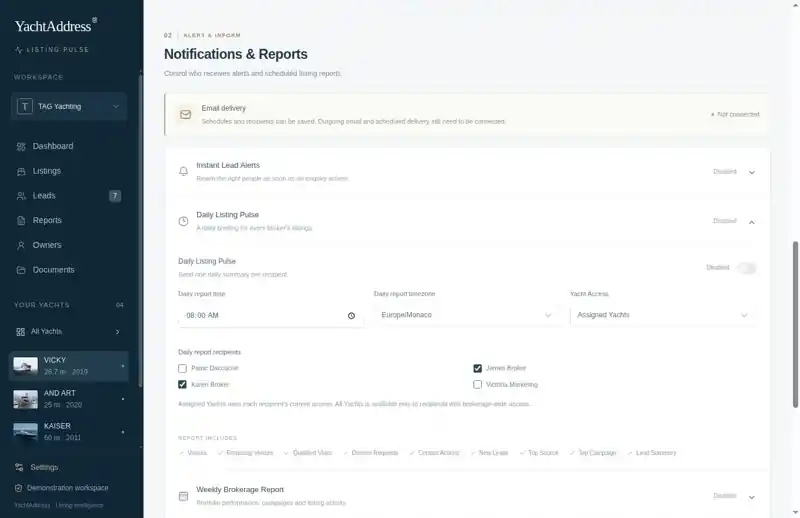
Alerts
The responsible broker is notified when an enquiry arrives. Daily or weekly summaries go to the brokerage.
04 / Report
Reporting the owner can read
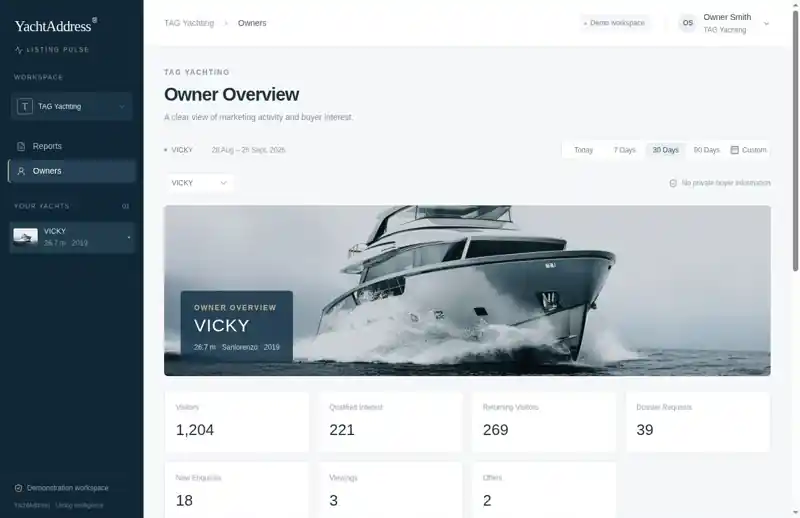
Weekly or monthly, the owner receives a report on their yacht:
- Traffic and where it came from
- Qualified interest and returning visitors
- Dossier requests and enquiries
- Viewings and offers, as supplied by the broker
- Marketing activity and a broker update
Owner view
Owners can also have a standing view of their own listing. It shows their yacht's performance. It does not show buyer identities, internal notes or other listings.
One yacht or a whole brokerage
A single listing gets its own dashboard for the responsible broker. A brokerage gets a portfolio view with comparisons across yachts. Each broker sees the listings assigned to them.
Part of YachtAddress
Listing Pulse runs within the YachtAddress listing presentation and Listing Management. It is not a standalone CRM.
Start with one yacht. Request a free listing review.
Setup, data and consent
Features depend on the agreed project setup. Tracking and attribution work through the links and codes used in each campaign. Buyer behaviour is linked to personal data only where consent exists. CRM connections are configured per brokerage and are not active by default. All figures shown on this page are demonstration data.